An XML file for Google Shopping – how to create and optimize it
Product ads in Google do not require you to manually define keywords. Products are displayed based on the implemented XML product feed. That’s why it’s important to prepare the XML file correctly so that your product ads are effective. An XML file (product feed) in the e-commerce industry is the key to promoting products online. It contains the most important information about an online store’s product range, such as the product name and brand, price, availability, product description and its images.
What is an XML file in Google product advertising?
An XML file is a file that contains the names of products available in an online store and their attributes. In other words, it is an exported list of products into a single sheet. The graphic below shows an example XML file in TXT format. Each row contains data for a single product. The headers in each column represent the corresponding attributes, such as ID, product title or product description.
 Sample XML file
In short, a Google Shopping XML file is a sheet containing product data and descriptions presented in a way that Google can “understand.” The XML file can come in different formats: TXT, XML, CSV and TSV. Google Shopping, however, supports only TXT and XML files.
XML file and SEO
PLA product ads do not rely on advertiser-provided keywords the way Google Ads text campaigns do. Google generates its own keyword list based on the product feed—meaning the XML file. Product descriptions and images are analyzed using machine learning and image-recognition technology. Google indexes both the advertiser’s website and the product feed to determine which ads should match specific search queries. Based on this analysis, a keyword base is created that determines when particular products will be displayed.
Preparing the XML file serves the same purpose as SEO activities: in both cases, you provide the information that should appear when users type specific queries into the search engine. Therefore, before the file is added to Google Merchant Center, it must be properly prepared and optimized. How? Keep reading 🙂
XML file – what it should contain and how to optimize it
Complete information about your advertised products is the foundation of effective Google Shopping ads. If you want your campaign to succeed, you must ensure both the quality of the product feed and its optimization. If the file fails to meet Google’s minimum requirements, the products may be rejected.
There is no such thing as “too much information” when creating a Google Shopping XML file. The more detailed the product descriptions, the higher the chance that your ads will be matched accurately. The opposite is also true: the fewer details in the feed, the less precisely Google can match your products to relevant search queries.
XML file – Product Identifier (id)
The product identifier attribute is used to uniquely define each product. It isn’t visible to users, but it must meet the following requirements:
-
the identifier must be unique and consistent for each product
-
different letter cases do not create unique IDs (e.g., pralka123 and PrALkA123 may be interpreted as the same product)
-
avoid spaces
-
use UTF-8 encoding
XML file – Product Title (title)
The product title is the blue hyperlinked text displayed beneath the image. To ensure that the title attribute is properly filled out, check whether the title meets the following guidelines:
-
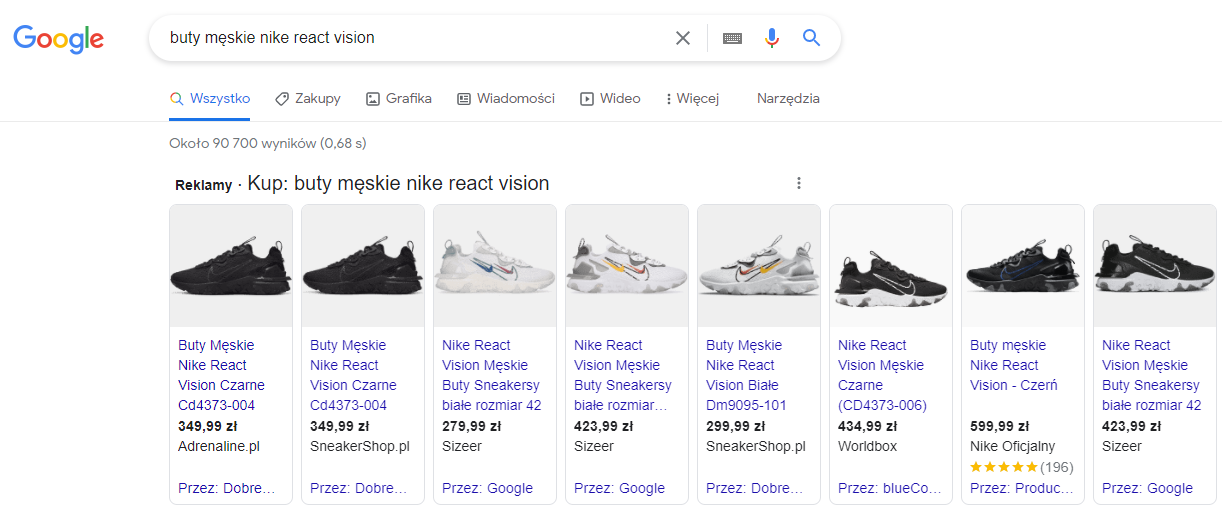
it accurately and specifically describes the product, especially if the product comes in several variants or colors, e.g., Nike React Vision Men’s Shoes / Men’s White Sneakers Size 42
-
it stays within 150 characters, without unnecessary spaces
-
it is grammatically correct
-
the description in the title refers to the exact same product as the landing page
-
it does not contain unnecessary information such as “free shipping” or “delivery within 24 hours”
-
it does not use ALL CAPS unless necessary
Optimizing the product title in the XML file
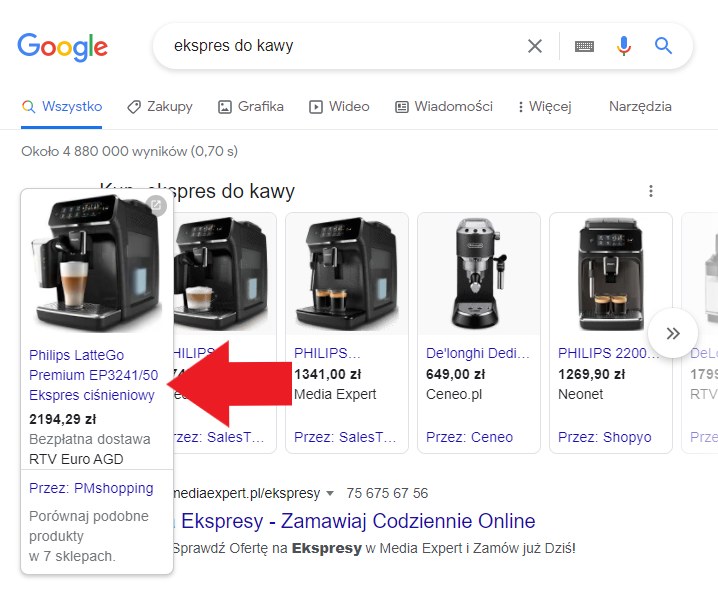
Setting the product title is a process analogous to choosing a web page title. When Google looks for relevant results, it checks titles first. Note: don’t overdo the number of keywords in the title, but be precise. When preparing to make a purchase, users tend to type long queries into Google (long-tail phrases). When designing the product title, include the brand, color, size, style, model, gender and any other important attributes.
XML file – Product image (image_link)
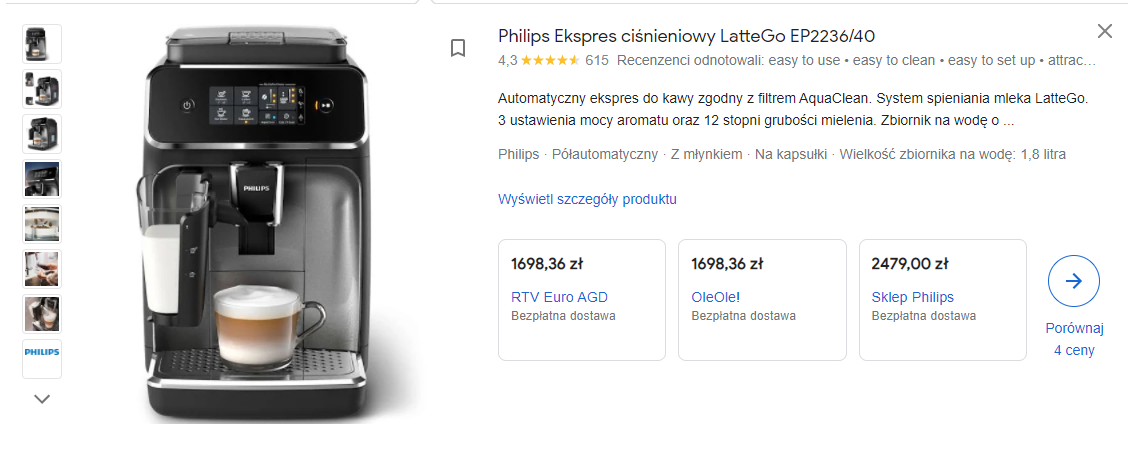
Product images in the XML feed are extremely important. Not only do they have to show the products, they also need to look professional. No one will click on a product ad that uses a low-quality image.
Product image in the XML file – optimisation
-
The image should clearly show the product being sold and its distinguishing features. Additional images of the same product should be submitted using the separate attribute additional image link. It’s worth showing the product from different angles.
-
The image should show the exact variant of the product being offered. If the coffee machine is sold in black, the photos should show a black machine. You must avoid situations where a black coffee machine is being sold, but the image shows a white one.
-
Images should be of the highest possible quality, but still comply with the size requirements specified by Google. The image should be cropped appropriately – once displayed, the product should occupy between 75% and 90% of the frame. The background should be uniform, white or transparent.
-
Only one unit of the product should be shown, unless it is actually sold as part of a set with other items. The image should not include products that are not part of the main product’s set.
XML file – Product category (google product category)
The product category assigns the product to a category defined by Google.
Important: you should use only one, most relevant category. The more precisely you choose the category and subcategory, the more effective your ad will be.
Example: if you sell marker refills, assigning them to the category Office supplies > Office accessories will not be sufficient. In line with the principle mentioned at the very beginning – there is no such thing as too much product information – you should use more detailed subcategories, e.g.:
Accessories for writing and drawing instruments > Inks for markers and highlighters > Marker refills
XML file – Product type (product type)
While product category is a mandatory field, product type is optional and allows you to add your own categorisation, e.g.:
Clothing > Women > Skirts > Pencil skirts for pencil skirts.

IMPORTANT!
The product type attribute is used for bidding and reporting in Google Ads shopping campaigns and has no impact on the effectiveness of campaigns in Google Shopping. This is different from the Product category attribute, which is used by Google to display product ads in the relevant search results.
XML file – Product description (description)
The description attribute is a great place to tell the customer about the product. It appears under the product title and to the right of the product image.
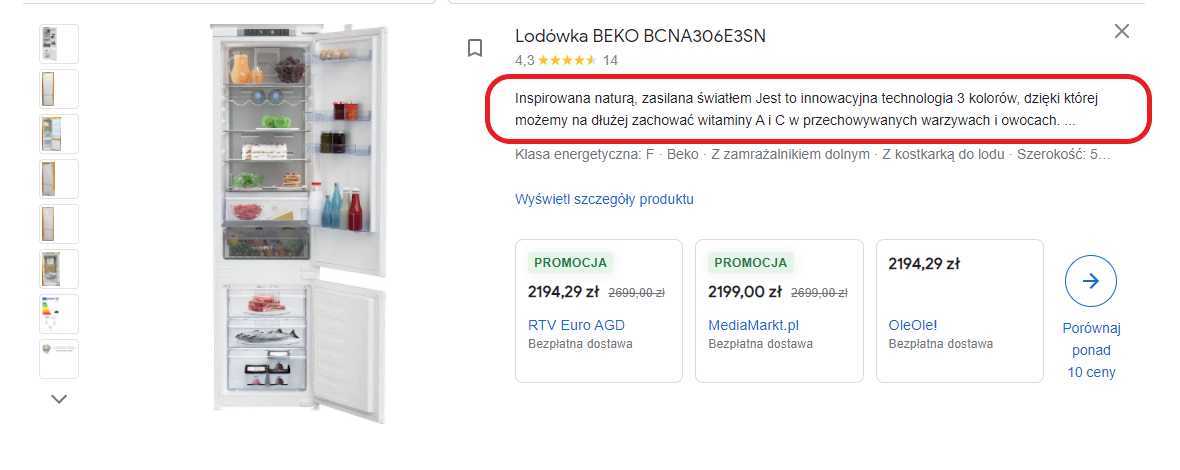
Google has also prepared some guidelines for product descriptions:
-
Every product should have a description.
-
Do not include unnecessary information, such as the company’s history – the description should refer solely to the product.
-
It should be written in a professional, grammatically correct language.
-
Do not use comparisons with other products.
-
Do not place links to the store in the description.
-
Do not use capital letters to emphasize the message.
-
Do not include information such as: price, sale price, promotion dates or delivery. This type of data should be added using other attributes, e.g. sale price.
XML file – other required attributes
Regardless of the product category, the file must also include 3–4 additional attributes.
XML file – link
This refers to the URL that redirects the user to the product’s landing page in the store after clicking the ad. This is a crucial moment: the user has chosen your offer from among other product ads. If they are redirected to an incorrect page, the sale will likely not happen.
When filling in the link field, you must use only a verified domain name that begins with http, and preferably https.
Podczas uzupełniania pola link należy użyć wyłącznie zweryfikowanej nazwy domeny, która rozpoczyna się od http, a najlepiej od https.
XML file – price
The file must contain real, up-to-date product prices. The price attribute is strictly monitored, and Google checks whether the product price in the XML file matches the price on the product page. If the prices differ, Google will reject the product due to outdated pricing.
XML file – brand, GTIN and MPN
Adding these three unique product identifiers helps increase the effectiveness of ads and makes it easier for customers to find specific products.
-
The brand attribute is required for all products except movies, books and music recordings. You should enter the brand name commonly recognised by customers. If the product has no brand, enter the manufacturer’s name. Do not use values such as “not applicable,” “generic,” “no brand,” or “none.”
-
The GTIN (Global Trade Identification Number) is the numeric form of a barcode. It is a unique identifier compliant with international standards.
If the product has a GTIN assigned by the manufacturer, it must be included in the XML file. Google has a vast GTIN database and can identify almost any product and its specifications. If an incorrect GTIN is provided, Google will detect it immediately and reject the inaccurately described product. -
The MPN (Manufacturer Part Number) is another unique identifier provided by the manufacturer.
If a GTIN number is included in the XML file, the MPN does not need to be provided. However, if the product does not have a GTIN, then Google requires both the MPN and brand to be included.
XML file – shipping
The shipping attribute allows you to specify the delivery time and cost of the product. This attribute is required if the advertiser has not defined delivery settings in Google Merchant Center, or if they wish to assign different shipping rules to delicate or oversized products.
Both shipping time and shipping cost are among the most common reasons why users abandon their purchase. It’s important to ensure these details are precisely defined and kept up to date.
XML file – summary
It’s worth improving your XML product feed for Google Shopping ads. With a well-prepared XML file, advertisers have a much better chance of reaching the right audience and increasing conversions in their store.
Most of the optimisation practices discussed above apply to almost every advertiser. Take a look at your product feed and see what improvements you can introduce. The good news is that you can perform each of these adjustments yourself, and within minutes. Go for it!