XML file (product feed) – what it is and how it’s used in affiliate marketing
What is an XML file?
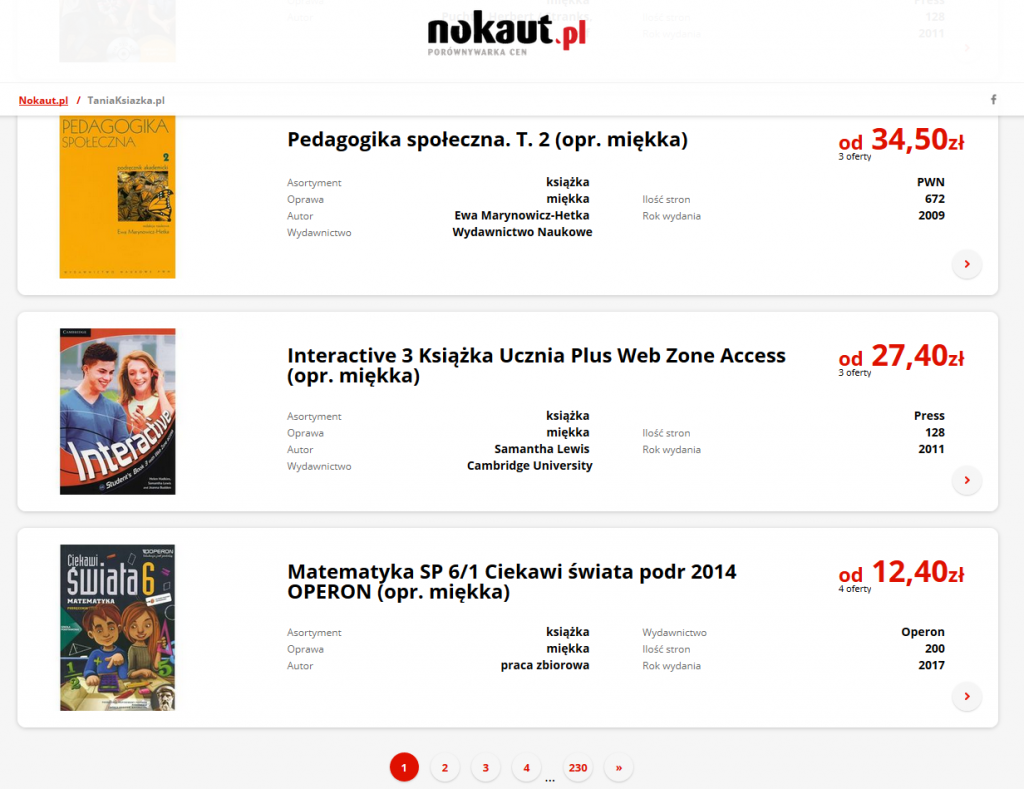
XML file and the e-commerce industry
A product feed is essential for an online store. An XML file primarily helps automate processes in e-shops and control all key aspects of the store’s product offering. The XML file enables cooperation between the store and publishers such as online malls, price comparison engines and product search services. What’s more, the XML document is the primary tool for providing publishers with information about the products currently available in the online store.
Online stores provide their XML files in various schemas. XML feed schemas are usually created by the largest online publishers, e.g. Nokaut, Ceneo or Okazje.info. Each service has prepared a dedicated set of guidelines, which significantly simplifies the process of preparing an XML data file. Of course, preparing a file in one of these schemas does not mean it will only be usable for that specific portal. If it is prepared correctly, any publisher can use it.
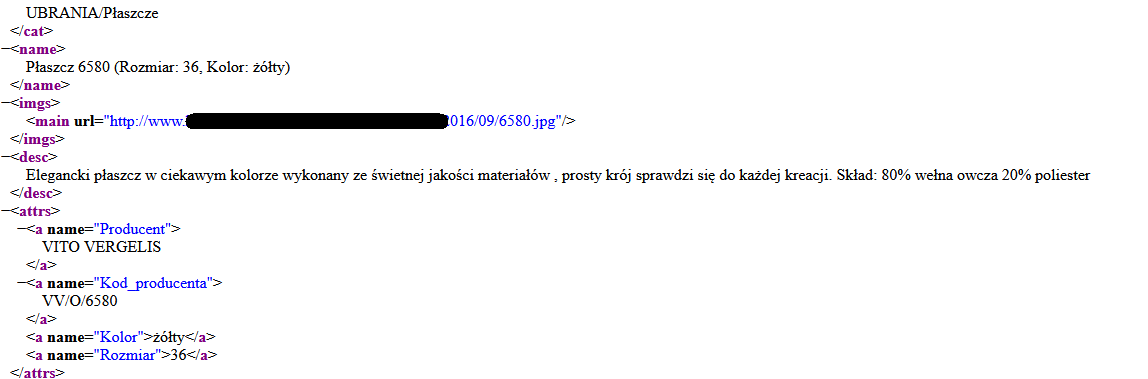
Each product in the XML file must be described as precisely as possible. In this case, a specific size, colour, product description and composition, image URL, manufacturer name and manufacturer code are provided.
Of course, there are no universal fields that must always be included, because it depends on the specifics of the industry. In fashion, it’s important to include information about size, while in the case of books, the ISBN number of a given title is key. Thanks to this, publishers can much more easily publish the store’s offer on their own websites.
The XML file gives publishers direct access to descriptions and prices of millions of products. This allows them to quickly search, filter and display products in many different ways. They can compare prices, daily deals or niche products. A well-prepared product feed simply opens up a wide range of options for using this data to promote products on the publisher’s website or channel.
How to open an XML document?
A product XML file most often comes in XML format (the CSV extension is also common) and can be opened using:
-
a web browser (e.g. Chrome)
-
a text editor
-
Excel
-
an XML viewer
How affiliate publishers use XML files
Alongside affiliate links and banners, the XML file is one of the most important tools in affiliate activities. XML files are primarily a tool for advanced publishers. To fully benefit from this type of file, you need to know the basics of website development or have a specialist in your team who handles such tasks.
XML files contain a lot of data, so the way this data is presented should be as clear and attractive to users as possible.
Thanks to XML files, publishers can present users with a tailored offer. Various types of price comparison engines and product search services use XML files. It’s precisely thanks to them that we can find the laptop we’re interested in at the best price, or browse many similar products to compare their parameters.
Here are some of the most important facts about XML files for publishers:
-
They can be freely used in systems such as product search engines and price comparison services.
-
In the form of an XML file, you can download the offer of an entire store or only selected categories.
-
They are updated daily, so product photos, descriptions and prices are always up to date.
-
You can fully automate the daily update of XML files in your own service.
-
Every store integrated with webePartners is required to provide a current and working XML file.
-
There is no limit to the number of XML files that can be downloaded from the webePartners system.
XML file and API
Now a few words about a tool that makes it much easier to retrieve data from XML files. We’re talking about API, i.e. programmatic access to the data in our system.
After proper configuration, we can fully automate the process of retrieving data from various sources. We can use the API not only for XML files, but also for discount codes or daily deals.
Each webePartners publisher receives their unique credentials for API configuration. Together with detailed instructions, they can be found in the panel (Advanced tab).